Built-in cluster scheduling
Job scheduler with automatic failover
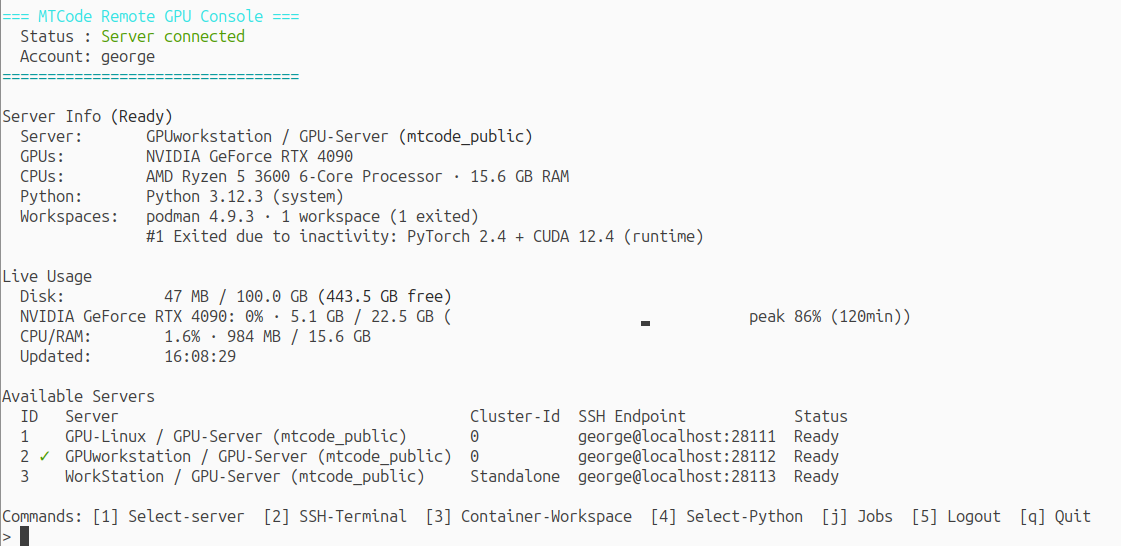
Cluster job submission enables efficient resource sharing. The scheduler either runs the job immediately on an available node or queues it until one opens up. MTGPU runs both native and containerized jobs. A native job's commands execute in the user's home environment; a containerized job's commands execute inside the container, with the home directory and persistent cache volumes mounted. A job is specified in a file similar to a Slurm batch script: an optional container, the resources it needs—GPUs, CPUs, minimum VRAM and RAM—and the commands to run.
Flexible resource reservation
Three GPU reservation modes: exclusive, shared with a guaranteed VRAM fit, or shared with opportunistic overcommit. A job may reserve GPUs by type, such as nvidia:1, amd:2 or rtx4090:1, and pin itself to a server with server=<server name>.
CPU-only servers can join and take jobs that don't need GPUs.
Placement by live telemetry
Every node reports its measured GPU, VRAM, CPU, and RAM use. Each job is placed on the best node by measured free and committed capacity. When every suitable node is busy, the job waits in a priority-ordered queue; aging ensures lower-priority work eventually runs. Requests the cluster could never satisfy are rejected immediately.
Multi-node and array jobs
Distributed training needs several GPU servers at once. A job file with nodes=N runs the same command on N members: each gets its rank and the rendezvous endpoint as environment variables for torchrun or any NCCL launcher, the group starts together or not at all, and one member failing stops the rest. For work that is independent per run, array= turns one file into many separate jobs, one per index, spread across whichever nodes have room.
Both directives work in native and containerized jobs.
No single point of failure, designed to scale
Cluster members automatically elect the most capable of themselves as the scheduler and keep its queue replicated as it changes. If the scheduler node goes offline, another takes over and no job needs resubmitting.
The scheduler stays efficient as the cluster grows. In simulated load tests, one scheduler on a 2012 desktop CPU (AMD FX-8350), taken as the floor benchmark, kept up with a thousand members and thousands of tenant accounts with headroom to spare; current hardware raises that ceiling further.
Supports major GPU brands. MTGPU detects the GPUs in each machine automatically and supports NVIDIA, AMD, and Intel GPUs out of the box; other brands are configured and tested automatically, with little or no administrator involvement, as described in the user manual.
Works with either storage layout. With shared home storage, a user's home directory is the same on every computer, and the container image of a containerized job is archived once and retrieved from that same storage by whichever node runs it. With independent home storage, the scheduler streams the image to a node the first time a job runs there.
Multiple clusters. An administrator can run several clusters under one administrator account—for example one per team, site, or hardware generation—each with its own cluster ID and its own scheduler. Assign users to clusters with mtcode-admin: each user sees and submits jobs only to the clusters they have been granted, and a user can be granted more than one.
Compatible with existing tools. MTGPU doesn't wall off the machine: the external tools your workflow already relies on keep working alongside it, unchanged.
Install headlessly on a rented cloud GPU or VPS. MTGPU installs and runs entirely without a display, so an SSH terminal is all you need. Copy the package up with scp or download it inside the SSH session, then run mtgpu-setup install --yes for a fully unattended install that enables automatic start at boot.